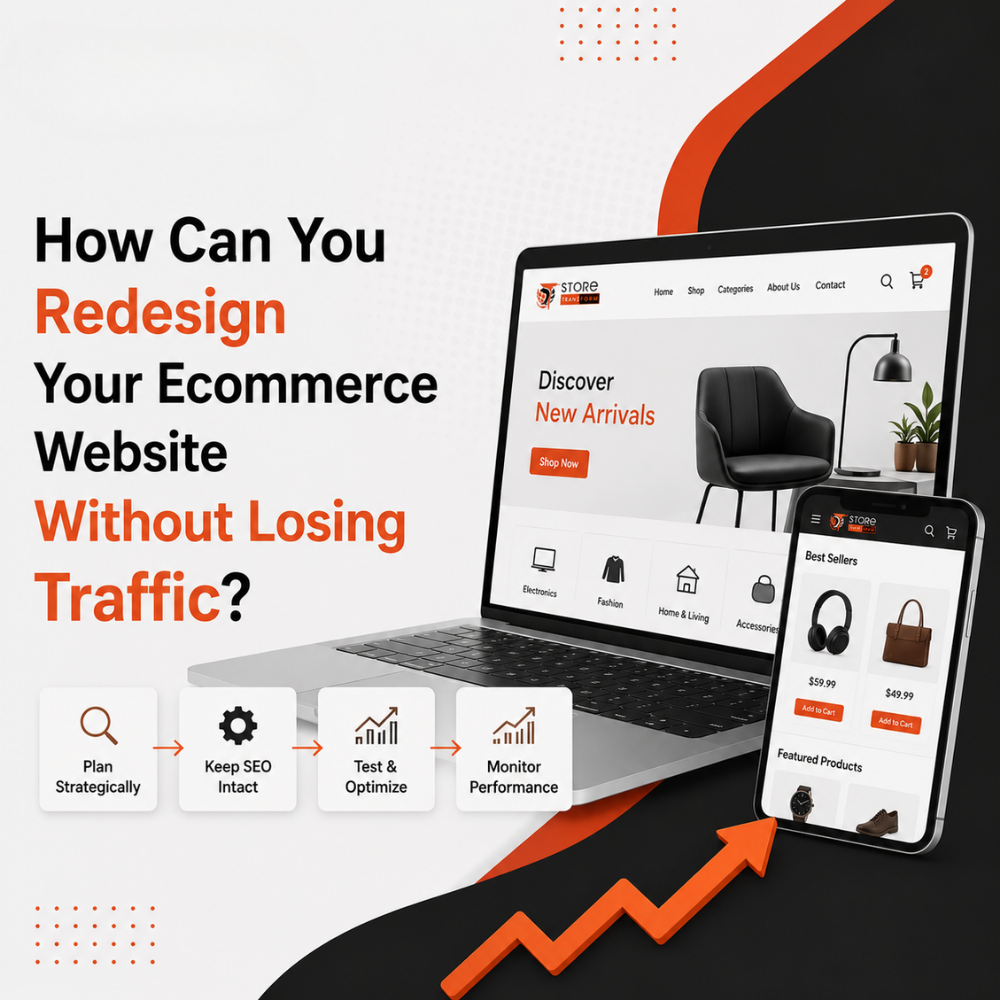
You can redesign your ecommerce website without losing traffic by mapping every existing URL to its new equivalent, implementing 301 redirects before launch, preserving existing metadata and structured data, and testing in a staging environment first. Most traffic loss after a redesign comes from broken URLs and missing redirects, not the new design itself.
Every ecommerce brand eventually outgrows its website, but redesigns carry a real risk: dropping rankings and losing organic traffic overnight if the migration is handled carelessly. The problem isn’t redesigning itself; it’s doing it without a technical SEO plan. This guide walks through exactly when a redesign is necessary and how to execute it so your search visibility survives the transition intact.
Key Takeaways
- Redesign when conversion rates decline, not just when the design looks dated
- URL mapping and 301 redirects are the single most important step in preserving rankings
- A staging environment lets you test SEO elements before the new site goes live
- Structured data and metadata must be rebuilt into the new site, not left behind
- Post-launch monitoring in Google Search Console catches issues within days, not months
What Is an Ecommerce Website Redesign?
An ecommerce website redesign is a substantial overhaul of a store’s structure, design, or platform, distinct from routine updates like a new banner or color change. It typically involves rebuilding navigation, page templates, and sometimes migrating to an entirely new platform such as Shopify or WooCommerce. Because search engines index URLs, layout, and content structure, a redesign directly affects how the site is crawled and ranked.
When Should You Actually Redesign Your Ecommerce Site?
Not every outdated-looking site needs a full redesign. The right trigger is a measurable business problem, not aesthetic preference.
Signs a Redesign Is Necessary
- Conversion rates have declined steadily despite stable or growing traffic
- Mobile bounce rate is significantly higher than desktop
- The current platform can’t support new features (subscriptions, multi-currency, faster checkout)
- Site speed issues persist despite technical fixes, pointing to a structural problem
- Your brand has repositioned and the site no longer reflects the current product line
Signs You Don’t Need a Full Redesign
- The design feels dated but conversion and traffic remain healthy
- Specific pages underperform, but the overall site architecture works
- The issue is content quality, not site structure
If your problem is isolated to a handful of pages, targeted UI/UX design improvements often resolve it without the risk of a full rebuild.
Redesign Approaches Compared
A phased approach, where sections of the site are redesigned and tested incrementally, generally carries the lowest SEO risk for large ecommerce catalogs, since it avoids re-indexing the entire site at once. Store Transform typically recommends this approach for established stores with significant existing organic traffic.
The Technical SEO Checklist Before You Launch
URL Mapping and Redirects
This is the step most redesigns get wrong. Before launch, every existing URL needs a 301 redirect mapped to its new equivalent. Skipping this causes search engines to encounter broken links, and any accumulated ranking authority on old pages is lost rather than transferred.
- Export a full list of indexed URLs from Google Search Console
- Map each old URL to its corresponding new URL
- Implement 301 redirects at the server level, not just on-page links
- Test every redirect in staging before the new site goes live
- Keep old sitemap data available for reference during the transition
Preserving Metadata and Structured Data
- Transfer title tags and meta descriptions to their new page equivalents rather than accepting generic platform defaults
- Rebuild schema markup (Product, Review, Breadcrumb) on the new site, since many platform migrations drop it silently
- Preserve canonical tags to avoid duplicate content issues between old and new URLs during the transition period
Testing in a Staging Environment
A staging environment is a private, non-indexed copy of your new site used for testing before launch. Running your redesign through proper web development practices ensures staging is blocked from search engines (via robots.txt or password protection) so Google never indexes an unfinished version of your site.
What Happens After Launch
Monitoring in the First Weeks
- Watch Google Search Console daily for crawl errors and indexing drops
- Compare organic traffic against pre-launch benchmarks weekly
- Check that redirects are functioning correctly by spot-testing high-traffic URLs
- Monitor Core Web Vitals, since new templates sometimes introduce speed regressions
Mini case study: A US-based fashion retailer working with Store Transform migrated from a legacy platform to Shopify. Because every product URL was mapped and redirected before launch, and structured data was rebuilt into the new templates, the store retained its existing search rankings through the transition and saw improved conversion rates afterward due to faster page load times and simplified checkout, without the typical post-migration traffic dip.
Conclusion
A successful ecommerce redesign comes down to preparation: knowing when the redesign is actually necessary, mapping every URL before launch, and testing thoroughly in staging. Traffic loss isn’t an inevitable side effect of redesigning, it’s a sign of a missed technical step. If you’re planning a redesign and want to protect your existing rankings, Store Transform’s web development services handle migrations with SEO preservation built into the process. Browse more strategy guides on the Store Transform blog.
Frequently Asked Questions
Does redesigning an ecommerce website always hurt SEO rankings?
No. Ranking loss after a redesign is typically caused by broken URLs, missing redirects, or lost metadata, not the design change itself. A properly planned migration with complete URL mapping preserves most or all existing search visibility.
How long does an ecommerce website redesign take to recover SEO rankings if traffic drops?
Recovery time varies by site size and the extent of technical errors, but sites with proper redirects in place typically show minimal disruption. Sites with unmapped URLs may take considerably longer to regain lost rankings, if they recover fully at all.
What is the biggest mistake businesses make during an ecommerce redesign?
The most common mistake is launching without mapping old URLs to new ones, which breaks internal and external links pointing to the site. This causes search engines to lose the accumulated ranking signals tied to those original pages.
Should you redesign and migrate platforms at the same time?
It’s possible, but it increases risk since two major variables change simultaneously. Where feasible, separating a design refresh from a platform migration makes it easier to isolate the cause of any ranking or performance issues.
How do you test an ecommerce redesign without affecting live SEO rankings?
Use a staging environment that is blocked from search engine indexing via robots.txt or password protection. This allows full testing of design, functionality, and technical SEO elements before the new site replaces the live version.
What should be checked immediately after an ecommerce site redesign goes live?
Check that all 301 redirects are functioning, confirm the new sitemap is submitted to Google Search Console, verify structured data is present on key pages, and monitor crawl errors daily during the first week’s post-launch.